
Framer Pricing Explained: Site Plans, Add-ons and What You Actually Pay
What Framer's pricing page showed on 3 November 2026: Free, Basic, Pro and Enterprise plans, editor seats, add-ons, overage steps and AI credits, with worked examples of a typical monthly bill.
 Written byMatt Gemi, Founder, Urest
On this page
This is what Framer's pricing page showed on 3 November 2026: four site plans, separate charges for editors, and a set of paid add-ons. Prices are in US dollars as the page displays them, sales tax is added at checkout, and Framer changes its pricing from time to time, so check the live page before you budget.
If you want to know what a Framer website costs overall, including design and build, our Framer pricing overview covers tool cost versus build cost. This post sticks to the subscription itself.
What are Framer's site plans?
Framer prices each site on one of four plans: Free, Basic, Pro and Enterprise. The plan decides your limits and features, and it is billed per site, not per account.
- Free, $0. A free Framer domain, 1 GB of bandwidth and 500 AI credits to try. The pricing FAQ says Free projects include 10 CMS collections, 1,000 pages and 5 MB uploads, and that a custom domain needs a paid plan. Framer describes Free as ideal for non-commercial use, and its plan comparison article says Free sites carry a Made in Framer banner.
- Basic, shown as $10 per month. A custom domain, 30 pages, 2 CMS collections, 1,000 CMS items, 50 GB of bandwidth, 20 CDN locations, 30 days of analytics history and 1,000 AI credits a month. Framer pitches it at students, freelancers and small studios.
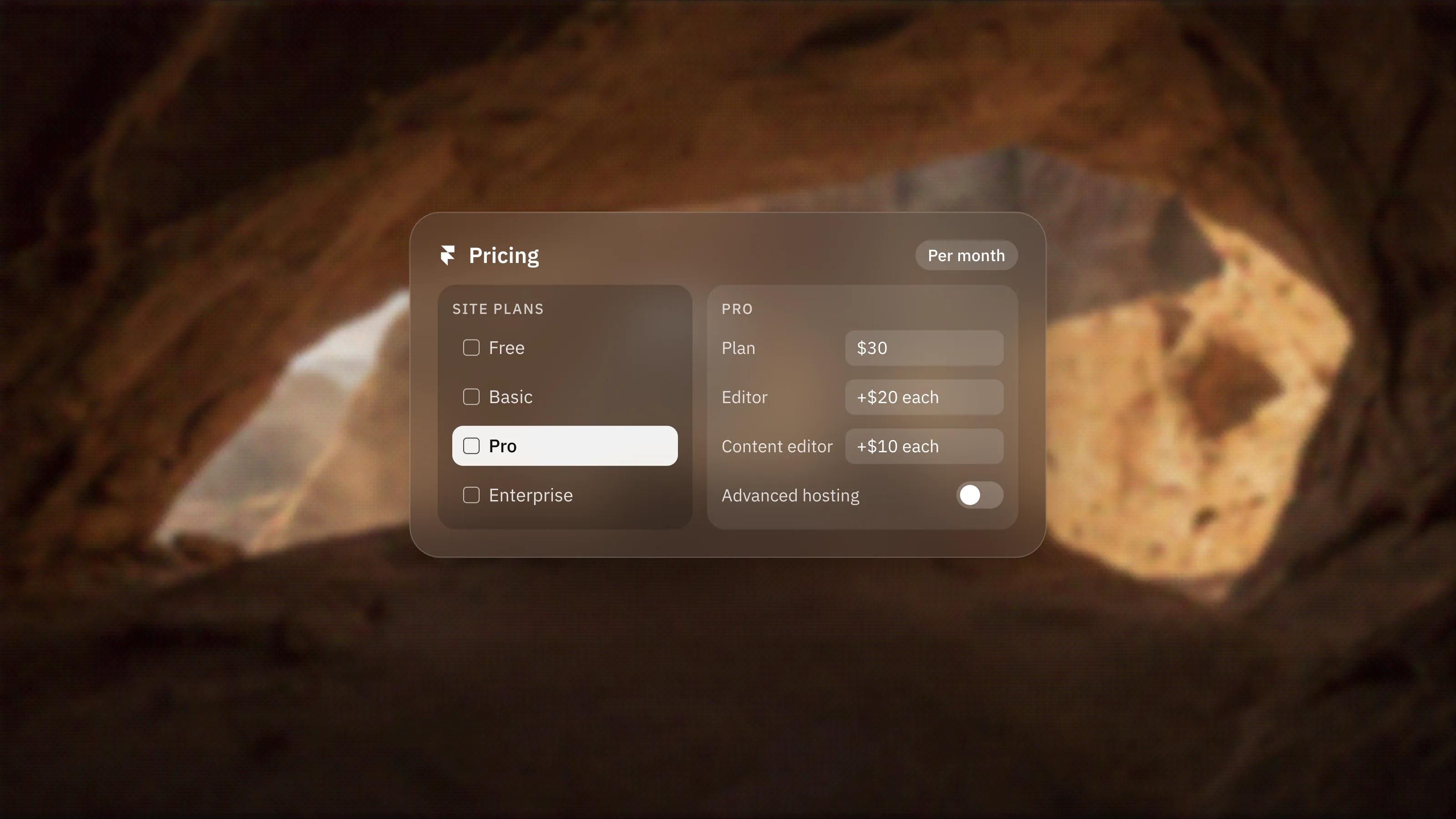
- Pro, shown as $30 per month. 150 pages, 10 collections, 2,500 items, 100 GB of bandwidth, 300+ CDN locations, 90 days of analytics history and 3,000 credits a month, plus site redirects, a staging environment and branching with previews. Framer pitches it at agencies, startups and scale-ups.
- Enterprise, custom pricing. Custom limits, unlimited editors, SSO, SCIM, an uptime guarantee, all CDN locations and unlimited analytics history.
Is the price monthly or yearly?
All Framer prices are quoted per month and billed on the cycle you choose at checkout. The page has a yearly billing toggle, and the Basic and Pro figures above are what it displayed when we read it.
Framer says paid plans on yearly billing include a complimentary domain. The page does not spell out the monthly-billing price next to the yearly one in the version we read, so flip the toggle on the pricing page before you commit to either.
How much do editors cost?
Editors are charged on top of the site plan, per person, per month. Viewers are free.
- Workspace owner: one person who manages editors, projects and billing, free on Basic and Pro. Framer's members guide confirms the owner is exempt from edit-seat billing on those plans.
- Additional editors, $20 each: can design, edit content and publish.
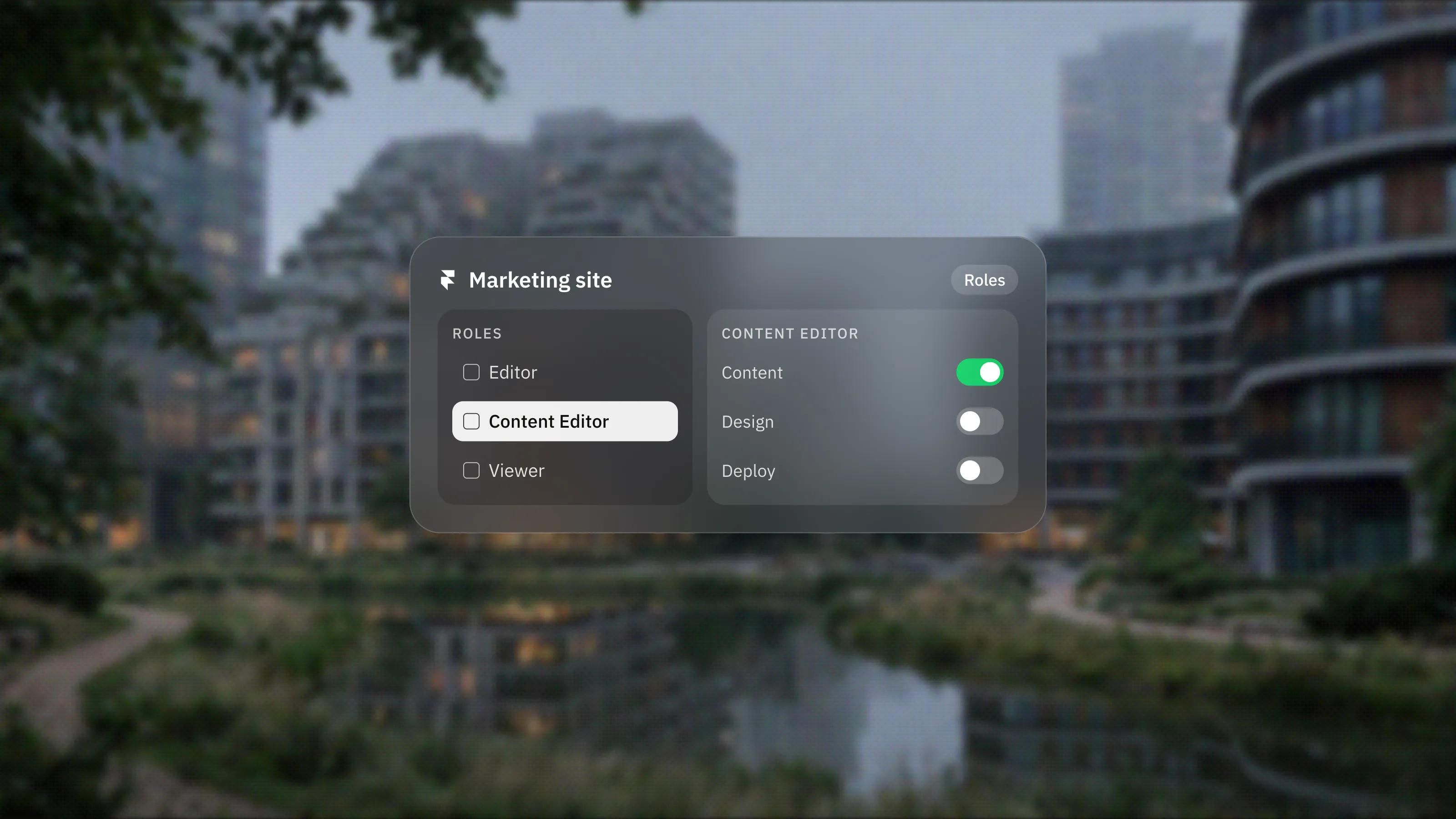
- Content editors, $10 each: can update the CMS and localisation and use on-page editing, without design access.
- Viewers, free: can view and comment.
Basic and Pro allow up to 10 seats with edit access. Enterprise is unlimited. Framer says it notifies you when an editor is added and charges within 24 hours, and that workspaces without a subscription can have up to three editors. The page also says Pro Experts get free editor access on client projects.
Which add-ons cost extra?
Three add-ons sit outside the plans, and two of them are Pro only.
- Translation locales: $20 per locale, up to 20, on Basic and Pro. The Free plan includes one locale to try.
- Convert: A/B testing, funnels and triggers, $50 per 500,000 analytics events, on Pro. Framer counts a page view, a tracked link click or a tracked form submission as an event, and says the add-on allows up to 5 A/B tests.
- Advanced hosting: $200 per month on Pro, included on Enterprise. Framer lists up to 6 rewrites, 6 firewall rules, up to 500 static files and custom values for a few security headers.
What happens when you go over a limit?
On Pro, several limits can be raised in paid steps. On Basic they are fixed, so you upgrade instead.
- Pages: $20 per extra 100, up to 700.
- CMS collections: $40 per extra 10, up to 40.
- CMS items: $20 per extra 10,000, up to 40,000.
- Bandwidth: $40 per extra 100 GB, up to 2 TB.
Framer says that for some limits it will ask you to upgrade, while for bandwidth it lets you go over for one month and emails you so you can adjust the plan.
What are AI credits?
Credits power Framer's Agents, localisation and other AI features, and every paid plan includes a monthly allowance shared across the workspace. Basic starts at 1,000 a month and Pro at 3,000.
The pricing page offers higher credit tiers on both plans and says you can add credits at any time. We could not read the price of each tier from the page, so check it in the selector. Framer also says Pro Experts use 50% fewer agent credits per prompt, and that its MCP server is free during the preview.
What would a typical setup cost?
Here is the arithmetic from the listed prices, before tax. It is an illustration, not a quote.
- A small business site on Basic, edited only by the owner: $10 per month.
- A marketing site on Pro with one content editor: $30 plus $10, so $40 per month.
- The same Pro site in two extra languages with one full editor and two content editors: $30 plus $20 plus $20 plus $40 for locales, so $110 per month.
A migration usually decides the plan for you. Site redirects are listed on Pro, so if old URLs need to point to new ones, budget for Pro from the start. We explain the setup in setting up SEO in Framer. If you want the plan and seats worked out as part of a build, start with our Framer development service.
How do payments and refunds work?
Framer takes credit cards and, in some regions, PayPal. Enterprise can pay by bank transfer. Customers in the EU or Turkey can claim a refund within 14 days of purchase through Framer's support team.
Frequently asked questions
Is Framer free?
You can build and publish on the Free plan at no cost, on a Framer domain with 1 GB of bandwidth. Framer describes it as ideal for non-commercial use, and connecting your own domain needs a paid plan.
Do I pay per site or per account?
Both, in a sense. Each published site has its own plan, and editors beyond the workspace owner are charged per person per month on top. Viewers are free.
Which Framer plan do I need for redirects?
Site redirects are listed on the Pro plan. If you are moving an existing site and need old URLs redirected, plan for Pro rather than Basic.
Does Framer charge sales tax?
Yes, where applicable. Framer says any sales tax is added at checkout based on your location, so the listed prices are before tax.