Can Your Marketing Team Edit a Framer Site Without a Developer?
Yes, for most day to day changes. How on-page editing, the CMS, roles and permissions, and branching let a marketing team update a Framer site safely, what it costs, and when you still need a designer.
 Written byMatt Gemi, Founder, Urest
On this page
Yes. A marketing team can run most day to day changes on a Framer site without a developer: editing copy and images on the live page, publishing blog posts and case studies through the CMS, and testing bigger changes on a branch. What they cannot do without design access is change the layout itself. Here is how it works, based on Framer's own help pages as of 3 November 2026.
What can my team edit directly on the live site?
Most page content. Framer's on-page editing lets people with content permissions open the published site in a browser and edit text, rich text, images, component properties, static page content and CMS content in place.
There are limits. Framer says layout templates and overlay content cannot be edited this way, and new pages can only be created for CMS-powered pages, starting from an existing CMS detail page. Some CMS fields, such as SEO descriptions, do not appear on the page, and Framer points editors to a Show All Fields option to reach them.
Framer's CMS page adds that teammates can edit content on mobile without opening the canvas, which is handy for a quick fix away from a desk.
Do edits go live straight away?
No, and that is a good thing. Framer says changes made with on-page editing must be reviewed and published by a collaborator with publishing permissions before visitors see them.
When an editor clicks Finish Editing, Framer emails the collaborators who can publish. In practice that gives you a light approval step: a content editor drafts, a marketing lead or designer publishes. The CMS page also says content can be written and staged without going live, so posts can sit as drafts until they are ready.
Which roles and permissions does Framer offer?
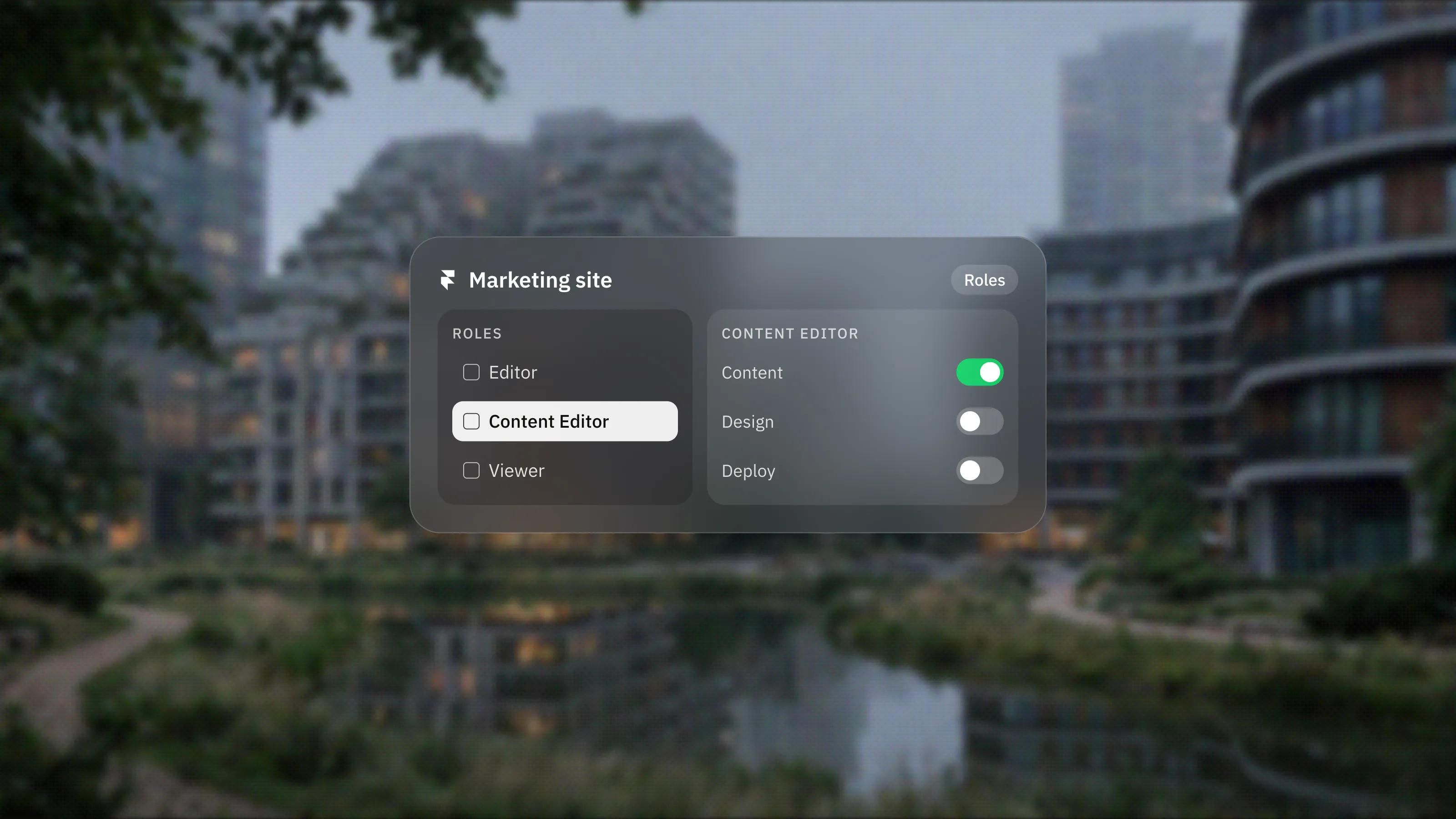
Framer has three standard roles, plus finer permissions on the higher plans. Framer's members guide describes them like this:
- Editor: full editing access to projects and site content.
- Content Editor: can manage CMS content, localisation and on-page editing, but cannot access design and development features.
- Viewer: read-only access, and free.
On Pro and Enterprise, Framer says you can customise access further with three separate permissions: Design for site-building, Content for content management, localisation and on-page editing, and Deploy for publishing and managing deployments. That lets you, for example, give a writer Content without Deploy, so everything they change waits for a publisher.
Framer's invite guide also separates workspace members, who can access every project in the workspace, from project members, who only see the projects they are invited to. For a freelancer or agency helping on one site, project access is usually the tidier choice.
How does the CMS help a marketing team?
The CMS is where most marketing content should live, because it separates content from layout. A writer fills in fields, and the page template handles the design.
Framer's CMS page lists rich field types, CSV import, Google Sheets sync and Airtable sync. That means a content calendar kept in a spreadsheet can feed the site rather than being copied in by hand. The structure is what makes or breaks this. A blog with clear fields for title, summary, author and cover image is easy to edit. One with everything in a single rich text field is not. We cover how to plan it in Framer CMS explained.
What about bigger changes, like a new landing page or a redesign?
Use a branch. Framer describes a branch as an isolated copy of your project where you can make changes without affecting main.
You can publish a branch to get a preview URL to share for review, and your live site stays as it is. When the work is ready, you open Review Changes, check the differences and click Apply. Framer is explicit that applying a branch updates main but does not publish the site, so there is one more deliberate step before anything goes live. If two branches change the same content, Framer advises reviewing carefully before applying.
The pricing page lists branching with previews and a staging environment on the Pro plan. Framer's staging guide says staging needs a custom domain connected, and that every publish creates a version you can roll back to. We go deeper into branches and AI edits in Framer's Agents and Branching, explained.
What does it cost to give the team access?
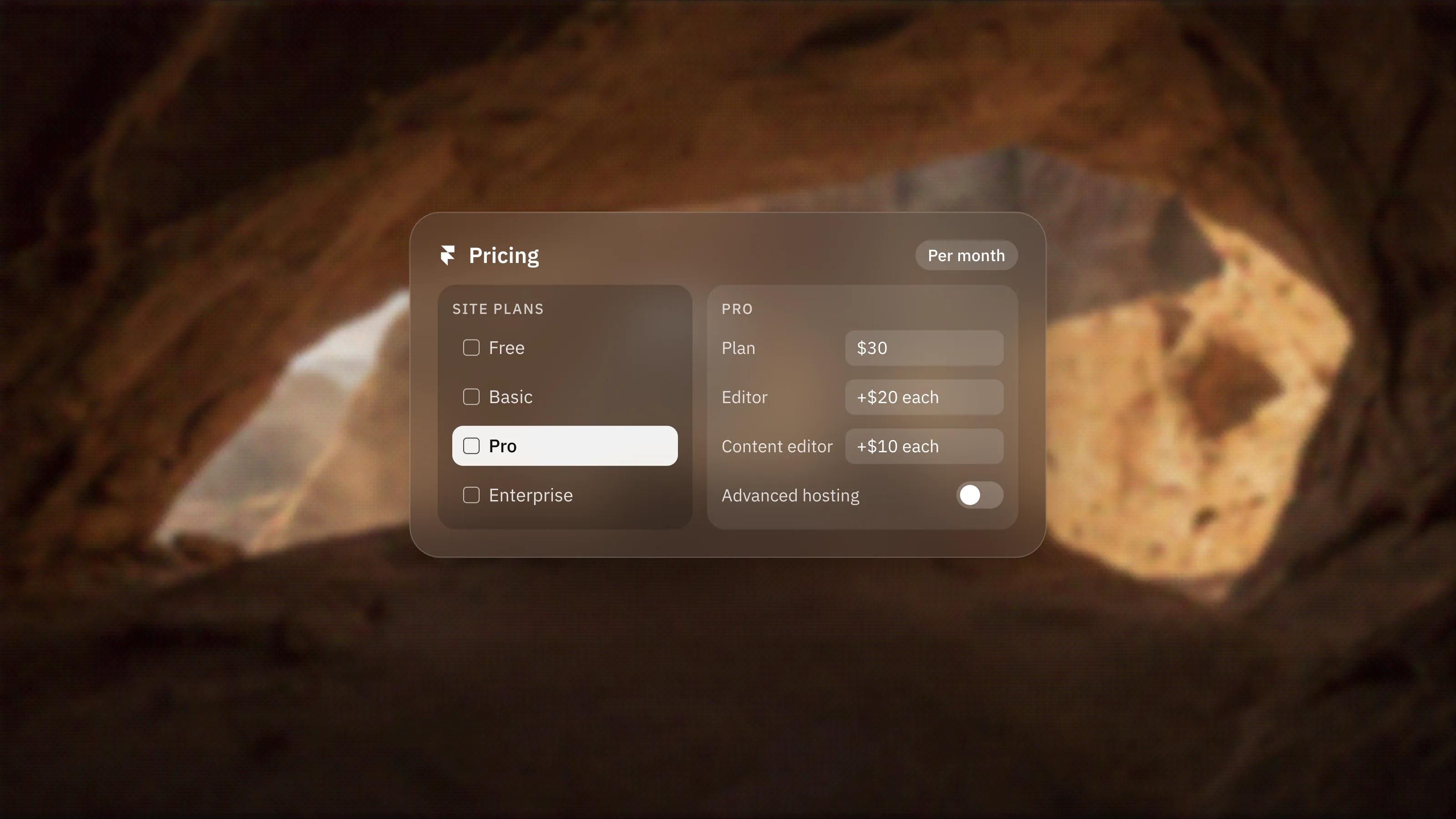
Editors are charged per person on top of the site plan. On the pricing page today, content editors are $10 per month each, full editors are $20 per month each, and viewers are free.
Basic and Pro allow up to 10 seats with edit access, and Enterprise is unlimited. The workspace owner is not charged an edit seat on Basic or Pro. Prices change, so check the pricing page before adding a team.
When will we still need a developer or designer?
When the change is to the structure rather than the content. That includes new page layouts or templates, new CMS collections, new components, code components and integrations such as forms that post to a CRM.
A sensible split is that your team owns words, images and CMS entries, while a designer or studio owns layout, components and anything in code. If you would rather have that second role covered on an ongoing basis, see our website maintenance service.
What would we set up at handover?
- Give writers the Content Editor role, or on Pro, Content without Deploy, so publishing stays with one or two people.
- Move every repeating content type into the CMS, with clear fields and short help text.
- Agree that layout changes happen on a branch, previewed and reviewed before they are applied.
- Connect the custom domain early and switch on staging, so there is always a safe place to check changes.
If you want roles, CMS and branching set up as part of a build, see our Framer development service.
Frequently asked questions
Can a content editor break the design?
Not easily. Content Editors can manage CMS content, localisation and on-page editing but cannot access design and development features, and layout templates cannot be changed through on-page editing.
Can my team create new pages without a developer?
They can create new CMS-driven pages, such as a blog post or case study, from an existing CMS page. A new page with its own layout needs someone with design access.
Do we need the Pro plan for our marketing team?
Not for basic editing, since content editor seats are available on Basic. Pro adds branching with previews, a staging environment and separate Design, Content and Deploy permissions, which help larger teams.
Can we edit the site from a phone?
Yes. Framer says teammates can edit content on mobile without opening the canvas, which suits quick text and image fixes.