Framer Firewall: Redirect or Block Visitors by Country and Path
Framer Firewall lets you redirect or block visitors by country, path or both. Here is how the rules work, how they interact with localisation and crawlers, and where the limits are.
 Written byMatt Gemi, Founder, Urest
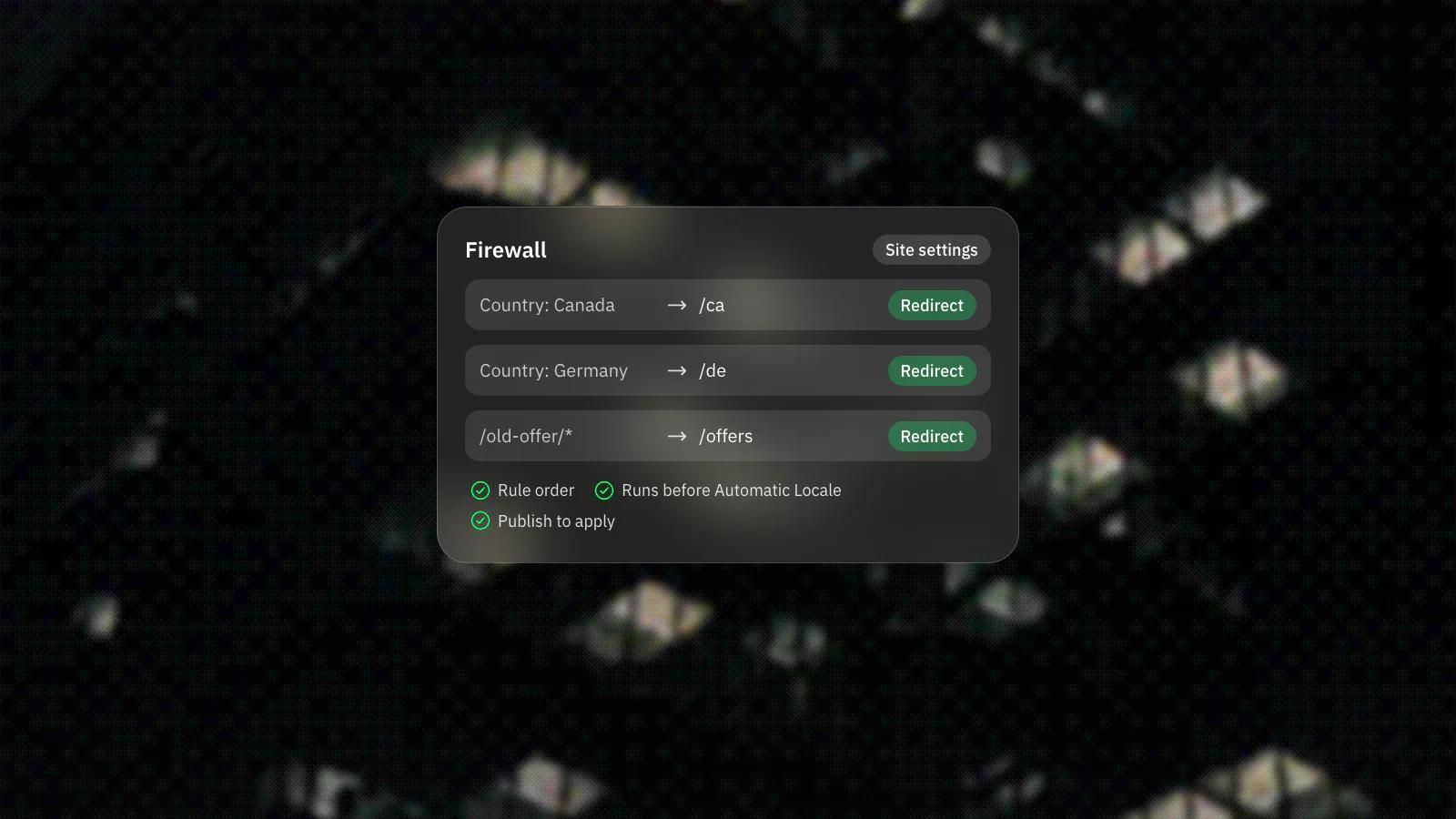
Framer added Firewall on 1 October 2026. It lets you redirect or block visitors based on their country, the path they request, or both, and it is available with the Advanced Hosting add-on and on Enterprise plans.
What does Framer Firewall do?
It applies rules to visitors before they reach a page. Each rule pairs an action, Redirect, Redirect to Locale or Block, with conditions on country, path or both, and either condition can be inverted to match everything outside the selected value.
Paths can be matched as an exact path, a path and its subpaths, a wildcard, or a named parameter you can reuse in the redirect target. A Block stops the request and sends no content. You set it up under Site Settings, Hosting, Firewall, as the Firewall update explains, then add a rule and publish.
Who needs Framer Firewall?
Mostly sites that serve different regions differently, or that have pages not meant for everyone. A firm with a separate offer per country can send each region to the right section, and a team can restrict access to specific pages.
For multilingual sites it ties into Framer's localisation, because a rule can send visitors to a specific locale. If you are planning that kind of site, our post on Framer Auto Translate covers the translation side.
How does Firewall work with Automatic Locale?
Firewall runs first. If a rule sends a visitor to a locale, Automatic Locale will not redirect them again, according to Framer's Firewall help article.
Framer's own example: a rule sends Canadian visitors to /ca, so a French-speaking visitor in Canada lands on /ca rather than /ca-fr. If you use both features, plan the rules together, or a country rule can override the language choice you meant visitors to get.
What are the SEO caveats?
Search crawlers are treated like everyone else. Framer says crawlers such as Googlebot are handled like regular visitors from their IP's country, so a country rule that blocks or redirects a region also changes what a crawler from that region sees.
Country conditions also do not apply to AI agents and link-preview bots, which fetch pages from data-centre IPs. So a country block is not a way to keep a page out of AI tools or social previews. The help article links to Framer's separate guidance on path patterns and redirects for the SEO side of setup.
What are the other limits?
Rules only apply to the published site, so every new, edited or deleted rule needs a publish. Rules are evaluated in the order shown in the list, and you drag them to change priority.
Framer does not state numeric limits on rules, countries or paths, and the update does not list prices. Check Framer's pricing page for the Advanced Hosting add-on before you plan around it.
What would we do?
We would treat Firewall as a business rule first and a technical setting second.
- Start with the reason: which regions get a different offer, and which pages need restricting.
- Use country redirects for real regional differences, not as a substitute for language switching.
- Be careful with rules that block or redirect whole regions, because crawlers from those regions get the same treatment. Check Search Console after the first publish.
- Write down the rule order and why each rule exists, since rules run in the order listed.
We set up hosting, redirects and localisation as part of Framer development, and our guide to setting up SEO in Framer covers ordinary redirects and the sitemap.
Frequently asked questions
Which Framer plans include Firewall?
Framer says Firewall is available with the Advanced Hosting add-on and on Enterprise plans. The update does not state prices, so check Framer's pricing page.
Can Firewall stop AI tools from reading my pages?
Not with country rules. Framer says country conditions do not apply to AI agents and link-preview bots, because they fetch pages from data-centre IPs.
Does Firewall affect how Google sees my site?
It can. Framer treats crawlers such as Googlebot like regular visitors from their IP's country, so your country rules apply to them too.
Do Firewall rules work as soon as I save them?
No. Rules apply to the published site, so you need to publish after adding, editing or deleting one.