Framer Hosting and Performance: What Is Under the Hood
What powers Framer hosting: AWS and a global CDN, automatic SSL, HTTP/3, AVIF image optimisation and server-side rendering. A look under the hood.
 Written byMatt Gemi, Founder, Urest
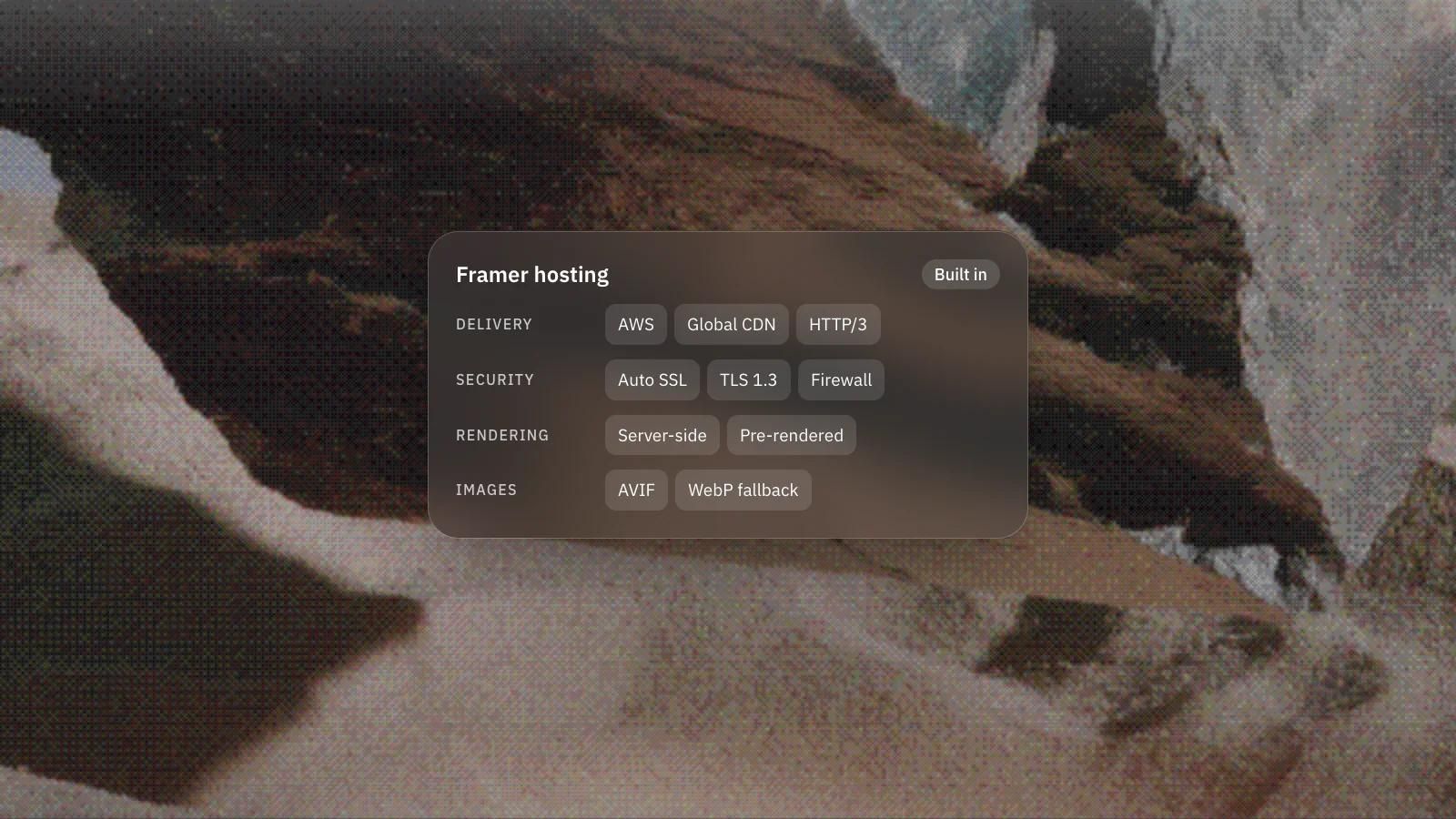
One of the quieter strengths of Framer is that hosting is built in. You do not configure a server, a CDN or a certificate. Publishing takes care of it. Here is what actually runs behind a published Framer site and why it tends to feel fast.
What infrastructure does Framer hosting run on?
Framer sites run on Amazon Web Services with a globally distributed edge network. Every site is served through a worldwide content delivery network that caches assets close to visitors to cut latency, and anycast routing directs each request to the nearest available location. Publishing includes immediate cache invalidation when you update or delete content, so changes go live quickly. Framer documents the details in its hosting infrastructure guide.
How does Framer handle SSL and security?
SSL certificates are generated and renewed automatically, so HTTPS works without manual setup. Framer uses TLS 1.3 where the client supports it, with TLS 1.2 as a fallback, and adds a global firewall against common attacks, plus network and application level protection on all sites, including rate limiting and automated challenges. Data is encrypted at rest using AES-256. For most teams this removes a whole category of maintenance work.
How does Framer serve pages fast?
Pages render on the server, which helps both initial load and how crawlers read your content. Framer supports modern transport with HTTP/3 (QUIC), HTTP/2 and 103 Early Hints, and compresses responses with Gzip or Brotli. The most visited pages are rendered at publish time, and less visited pages render on the first request. Stateless backend layers and spare capacity help the site absorb traffic spikes without cold starts.
How does Framer optimise images?
Images are resized, compressed and cached at the edge, and Framer serves modern formats automatically. It converts most JPEG, PNG, WebP and GIF images to AVIF, which compresses better than those formats. The format is chosen per browser: AVIF where supported, WebP as a fallback (and for lossless and animated images), and a recompressed original if neither is available. On the first request Framer serves a WebP version while the AVIF is generated in the background; after that the AVIF is cached with a long max-age and served from the CDN.
What this means for you
The practical upshot is that a well built Framer site starts from a strong performance baseline without a DevOps effort behind it. Your job shifts to what you can still control: reasonable page weight, sensible use of heavy animation, and not stacking oversized media on a single view. The platform handles delivery, but design decisions still decide how heavy a page is.
If you want a Framer build that stays fast as it grows, that is core to how we work: design, development and growth handled by one senior team with no handoffs. Book a discovery call and we will talk through your performance goals.
Frequently asked questions
Do I need my own hosting or CDN for a Framer site?
No. Hosting is built in: a published Framer site is served through a worldwide CDN on Amazon Web Services, and SSL certificates are generated and renewed automatically.
Does Framer convert my images to AVIF automatically?
Yes. Framer converts most JPEG, PNG, WebP and GIF images to AVIF and serves it to browsers that support it, with WebP as the fallback. Lossless and animated images are served as WebP.
Are Framer pages rendered on the server?
Yes. Pages render on the server, which helps first loads and how crawlers read your content. The most visited pages are rendered at publish time and less visited ones on the first request.
Can a Framer site still be slow?
Yes. The platform handles delivery, but design decisions still decide how heavy a page is, so oversized media, heavy animation and crowded views can still slow it down.